
We met one final time in the library today and added everything together. The code works and we are able to draw images on the screen based on the notes we played. We encountered many setbacks and roadblocks during this project but we overcame them as a group and feel confident to present it in class tomorrow. I learned a lot about JEM doing this project and want to continue to expand my coding skills by further coding with it.
Category: Tenny
Updates..
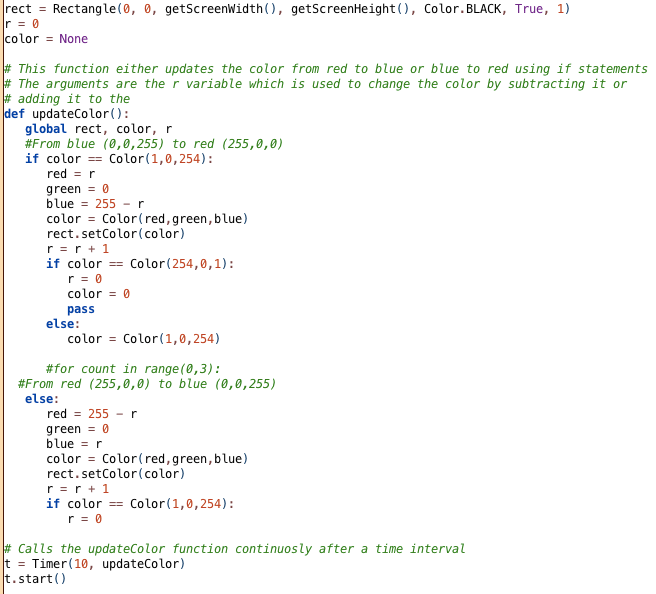
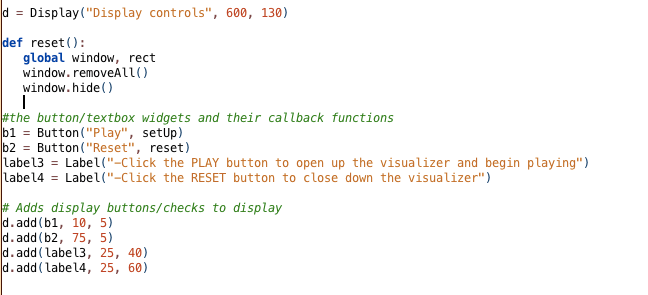
I had other ideas for the control panel that was not able to implement and therefore had to change. First I wanted the “play” button to bring up the visualizer just as a blank screen. I then wanted to use the different checkboxes to add different gradients to the blank visualizer screen as backgrounds. The code for the different gradients was not working so we decided that we would just use a one gradient background that is brought up by the “play” button by calling the setUp function that I made. The reset button will use the function reset which will hide and remove the window from the screen. We also fixed the problem that was causing JEM to crash when the play button was pushed. We had to use timer instead of sleep. Attached below is the new gradient code and controller code.
_______________
Tweaking the project
After we all met in lab on Friday we decided that loading a midi note into the program was not going to work. There is no way we can load the midi file into the program and have it read and draw shapes at the same time. We were going use a virtual DAW (Digital Audio Workstation) but decided the best way to achieve our goal is to use a physical midi keyboard. We will use ( midi device).onNoteOn( function) and play the notes in real time.
The week continues…
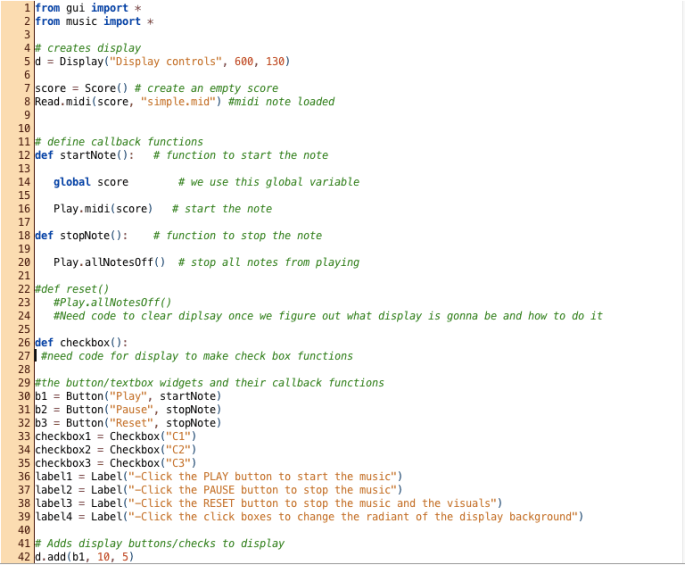
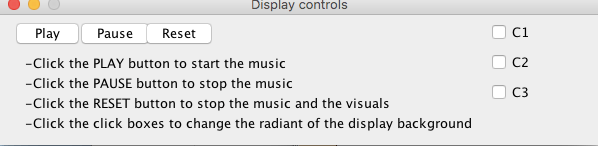
We still can’t find out how to break the midi files down into notes so that the program can read a certain note and display the visual that goes with it. Owen and I met with Tanner on Wednesday after class and got some ideas on how to achieve what we want to do but we still couldn’t accomplish it. He did help us figure out the code for a changing gradient background that we want to have to play behind our visuals. The gradient code is not final but we only have a little more to add. I have written code for a controller display box that we are going to use to start/stop the music and visuals. The checkboxes will be used to load three different gradient backgrounds on the display once we figure out the final code. Not all of the code is written for the controller yet since I have to wait for the gradient code and the code for the display before I can finalize the functions that affect them. For the rest of the week, we are going to try and figure out how to make the note’s characteristics readable by the program so we can attach certain visual attributes to them. If we can not figure it out we may move to a different idea. We will use a midi keyboard to play live music instead and have those notes affect the type of visuals the program user sees.

_________________________
Start of the next week
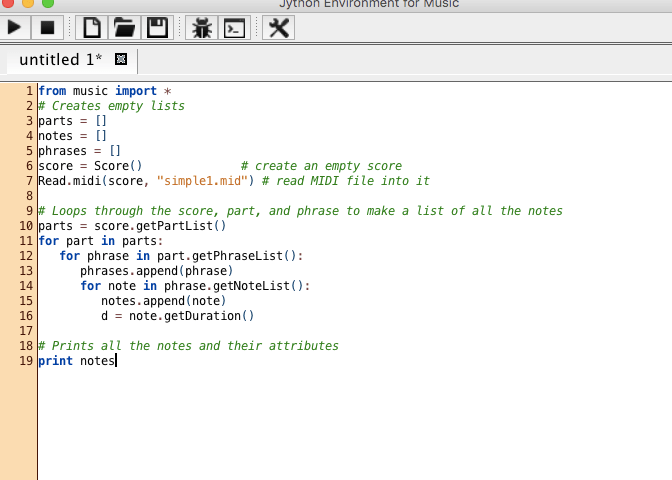
In lab, we overcame the roadblocks we had when we first started the project. We figured out that many of the old functions we used in JES that we couldn’t find in JEM were not needed at all. For example, pickAFile wasn’t needed to pick a midi note to play because we could just load the midi file with read.midi(score, “midi note here”). I also finally got a midi note to play in JEM which will now allow me to create my own midi notes and test them in the program. I am working on that right now. We also started to write the code in order to break down and parse the note. We will take characteristics of the midi note such as duration, type of note, and pitch and assign them to create certain shapes visually. The picture attached shows the code written in the steps explained above.
The first two days
The last two days I have been figuring out how JEM works. I spent most of my time familiarizing myself with the program and trying to figure out how to play a midi note through the program. I did not end up figuring out how to actually play a note but have done a lot of research on the Jython music site. I believe with all of the research my group and I have done that we will be able to play a note by lab tomorrow. While doing my research my I realized that many JES commands do not work in JEM. I started trying to figure out how to get the commands working or if there is a way around it. My group and I will figure out all of our roadblocks tomorrow and will be able to move forward. I am going to start complaining midi notes to create the song we will use when I finally figure out how to play the notes in JEM.

