Getting a Final Version Going


We all spent this weekend working on different aspects of the project and had time to reconvene during class and combine our code into a final product. This code combines my shapes that get called by midi notes played on a keyboard,


def drawShape(eventType, channel, data1, data2):
global window, shape1, shape2, shape3, shape4, shape5, shape6
# iicon position is random
x = randint(0, getScreenWidth()) # x may be anywhere on display
y = randint(0, getScreenHeight()) # y may be anywhere on display
colors = ["Red", "Orange", "Yellow", "Green", "Blue", "Purple", "Pink", "White", "Teal"]
colorIdx = (data1 / 2) % len(colors)
color = colors[colorIdx]
shapeLists = [shape1, shape2, shape3, shape4, shape5, shape6]
shapeListIdx = (data1 / 3) % len(shapeLists)
shapeList = shapeLists[shapeListIdx]
shape = shapeList[color]
icon = Icon(shape,x,y)
window.add(icon)
# play note
Play.noteOn(data1, data2)
# establish a connection to an input MIDI device
midiIn = MidiIn("Unknown Vendor Oxygen 25")
# register a callback function to process incoming MIDI events
midiIn.onNoteOn(drawShape)

view raw

My shapes

hosted with ❤ by GitHub

Owen’s color gradient background,


from gui import *
from timer import *
import time
b = True
def updateColor(shape):
while b:
for count in range(0,3):
#From red (255,0,0) to blue (0,0,255)
for i in range(0,255):
red = 255 – i
green = 0
blue = i
color = Color(red,green,blue)
shape.setColor(color)
time.sleep(0.01)
if color == Color(1,0,254):
#From blue (0,0,255) to red (255,0,0)
for i in range(0,255):
red = i
green = 0
blue = 255 – i
color = Color(red,green,blue)
shape.setColor(color)
time.sleep(0.01)

view raw

Owen Gradient

hosted with ❤ by GitHub

and Tenny’s setup funciton.


def setUp():
global window
window = Display("Visualizer", getScreenWidth(), getScreenHeight())
gradient = Rectangle(0, 0, getScreenWidth(), getScreenHeight(), Color.BLACK, True, 1)
window.add(gradient)
updateColor(gradient)
#input: None
#return: the width of the screen
def getScreenWidth():
return Toolkit.getDefaultToolkit().getScreenSize().width
#input: none
#return: the height of the screen
def getScreenHeight():
return Toolkit.getDefaultToolkit().getScreenSize().height

view raw

Tenny Setup

hosted with ❤ by GitHub

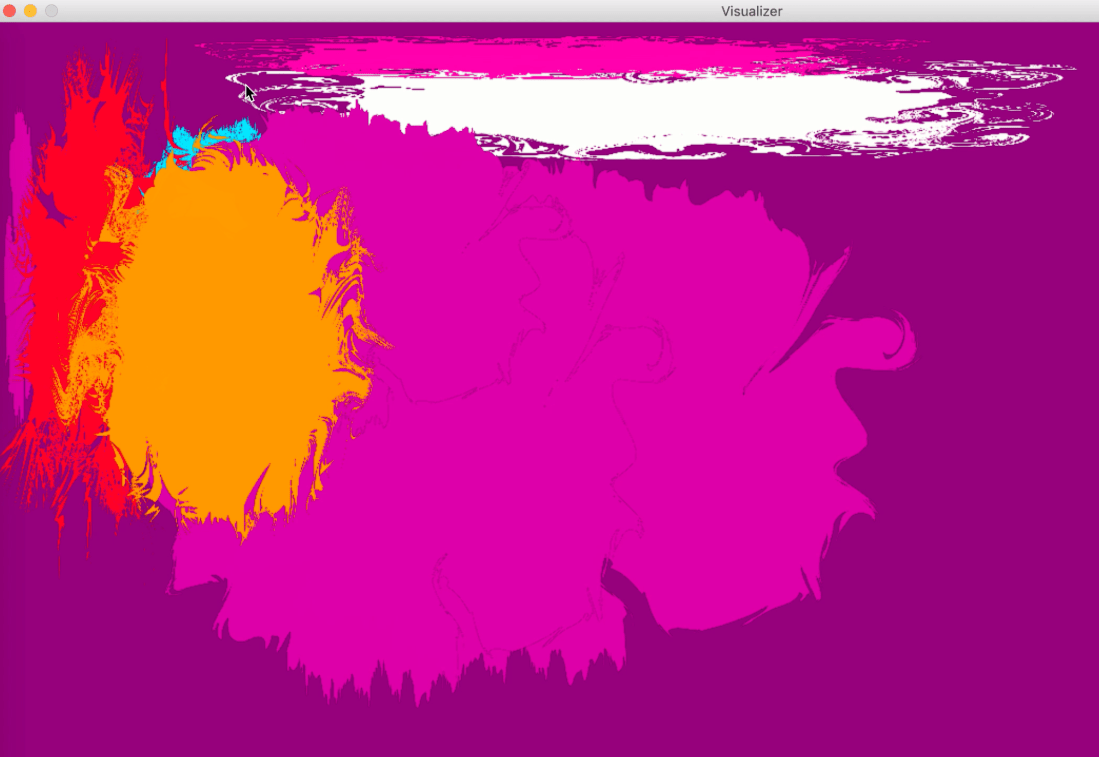
This code does everything we want it to do,  now it’s just time to refine our final project into something we’re excited to present. Currently, the visualizer looks like this:
Screen Shot 2018-12-10 at 3.04.12 PM.png

The color splashes get added (different shapes and colors depending on the note) when the keyboard is played, and the gradient in the background transitions between blue and red. These next few days we are going to be putting the finishing touches on the project by creating a “clear” function, changing the way the timer works so it hopefully is less buggy, and trying to get the color splashes to animate by rotating. We are meeting tomorrow to hopefully get these finishing touches worked out!


New Shapes


I had a lot of time on my hands this weekend and so I spent a lot of time getting our program up and running. I had originally designed some shapes for the program based on what my own synesthesia looks like. I then made many color variations of these shapes and wrote some code so that they would change color and or shape depending on the note played and then would put it on the screen.


colors = ["Red", "Orange", "Yellow", "Green", "Blue", "Pink", "White", "Turqoise"]
colorIdx = (data / 2) % 12
color = colors[colorIdx]
shapeLists = [Shape1, Shape2, Shape3, Shape4, Shape5, Shape6, Shape7]
shapeListIdx = data / 12
shapeList = shapeLists[shapeListIdx]
shape = shapeList[color]

view raw

color changing

hosted with ❤ by GitHub

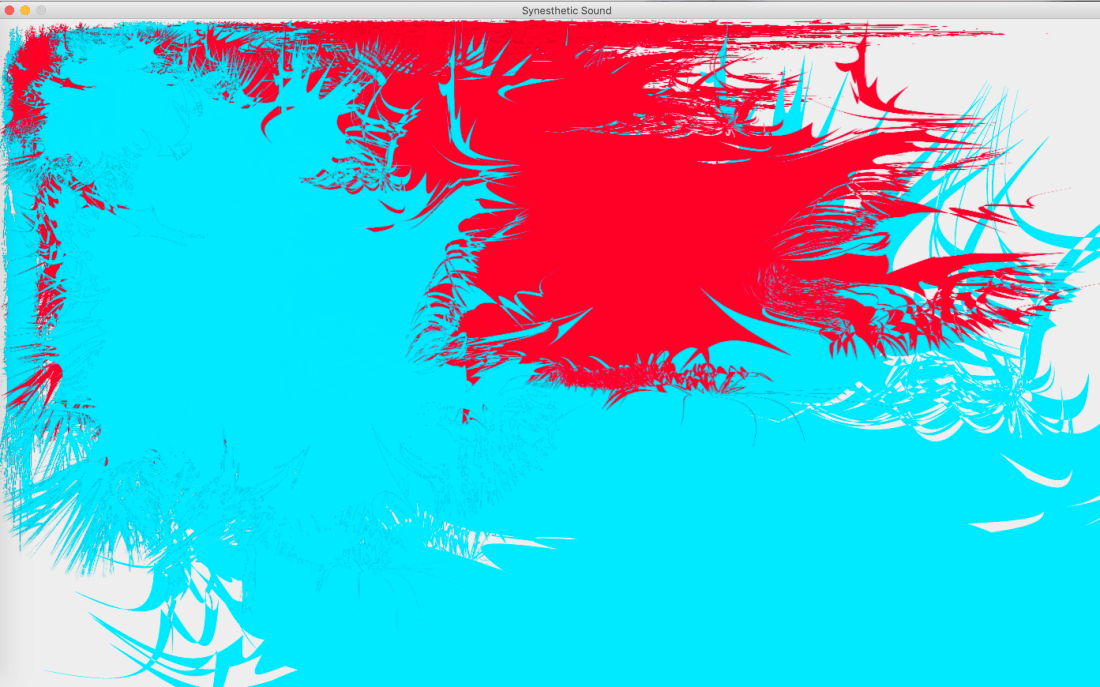
This code worked, however, I was very unhappy with the visuals of it. The end result turned out something like this:

Screen Shot 2018-12-09 at 1.06.55 PM.png

Because of this outcome, I’ve decided to go back to the drawing board with the shapes and try to come up with something cleaner. Overall I think we’re in a very good spot to get the project done.


Sorting Notes and Graphics


Since we’ve gotten midi files to load into JEM and have been able to pull note information out of those midi files, I’ve started trying to make some functions that will put different graphics on the screen based on what note is playing. I started off doing this by making dictionaries of notes. When you get the pitch of a note from a midi file with JEM it spits back out a number that corresponds to a certain note. I grouped all of these numbers into note values (A, B, C, etc.) so that we would be able to group the graphics more simply.


#dictonaries of notes
a = [9,21,33,45,57,69,81,93,105,117]
aS = [10,22,34,46,58,70,82,94,106,118]
aF = [8,20,32,44,56,68,80,92,104,116]
b = [11,23,35,47,59,71,83,95,107,119]
bS =[12,24,36,48,72,84,96,108,120]
c = [0,12,24,36,48,72,84,96,108,120]
cS = [1,13,25,37,49,61,73,85,97,109,121]
d = [26,38,50,62,74,86,98,110,122]
dS = [3,15,27,39,51,63,75,87,99,111,123]
e = [4,16,28,40,52,64,76,88,100,112,124]
eF = [3,15,27,39,51,63,75,87,99,111,123]
f = [5,17,29,41,53,65,77,89,101,113,125]
fS = [6,18,30,42,54,66,78,90,102,114,126]
fF = [4,16,28,40,52,64,76,88,100,112,124]
g = [7,19,31,43,55,67,79,91,103,115,127]
gS = [8,20,32,44,56,68,80,92,104,116]
gF = [6,18,30,42,54,66,78,90,102,114,126]

I then used the getNotes function that my team worked on in lab to get the pitch values of notes and then wrote another function which takes in a note as input and then uses if statements to see which note dictionary each pitch is in, and displays a corresponding graphic on the screen.


# Loops through the score, part, and phrase to make a list of all the notes
def getNotes():
global parts, notes, phrases, score
parts = score.getPartList()
for part in parts:
for phrase in part.getPhraseList():
phrases.append(phrase)
for note in phrase.getNoteList():
notes.append(note)
d = note.getDuration()
# Prints all the notes and their attributes
return notes
def noteImage(note):
global notes
for note in notes:
note.getPitch()
if note in a:
#put in this graphic and draw to screen
elif note in aS:
#put in this graphic and draw to screen
elif note in aF:
#etc..
elif note in b:
elif note in bS:
elif note in c:
elif note in cS:
elif note in d:
elif note in dS:
elif note in e:
elif note in eF:
elif note in f:
elif note in fS:
elif note in fF:
elif note in g:
elif note in gS:
else:

As you can see, the code is not fully fleshed out. We are still deciding as a group if we want to generate the graphics randomly with the GUI library, or if we want to do the graphics in Illustrator and then just put it on the screen depending on what the note is. I’m going to work on that next, and once we decide how we want to do the graphics I’m going to work on filling out and debugging this code.


Window Setup

This is the first bit of work I’ve done on the project and it’s pretty simple but you have to start somewhere! I just started off by importing the GUI and then using it to create a setup function that creates a window the size of the screen where the display will eventually be. I started off with this because I’m still learning how to use JEM and how to play with midi files, but I wanted to get a start on something. I pulled this code directly from my data visualization lab because I knew it would do what I needed and I’m lazy and don’t like to re-type things.  I’ve been working on getting a midi file to upload and play in JEM but so far I haven’t figured it out. We’re hoping to get help from Kenzie on that tomorrow so that we can move onto getting data from midi files that we can use to make visuals.


import os
import gui
from gui import *
#input: none
#return: the width of the screen
def getScreenWidth():
return Toolkit.getDefaultToolkit().getScreenSize().width
#input: none
#return: the height of the screen
def getScreenHeight():
return Toolkit.getDefaultToolkit().getScreenSize().height
#input: none
#return: none
#sets up the display
def setup():
window = Display("Synesthetic Sound", getScreenWidth(), getScreenHeight())
setup()